June 18, 2026 • Sanjay Gupta • 9 min reading time • Prices verified June 24, 2026
Wireless Solar Security Cameras: How Much Local Storage and AI Detection Do You Actually Need?
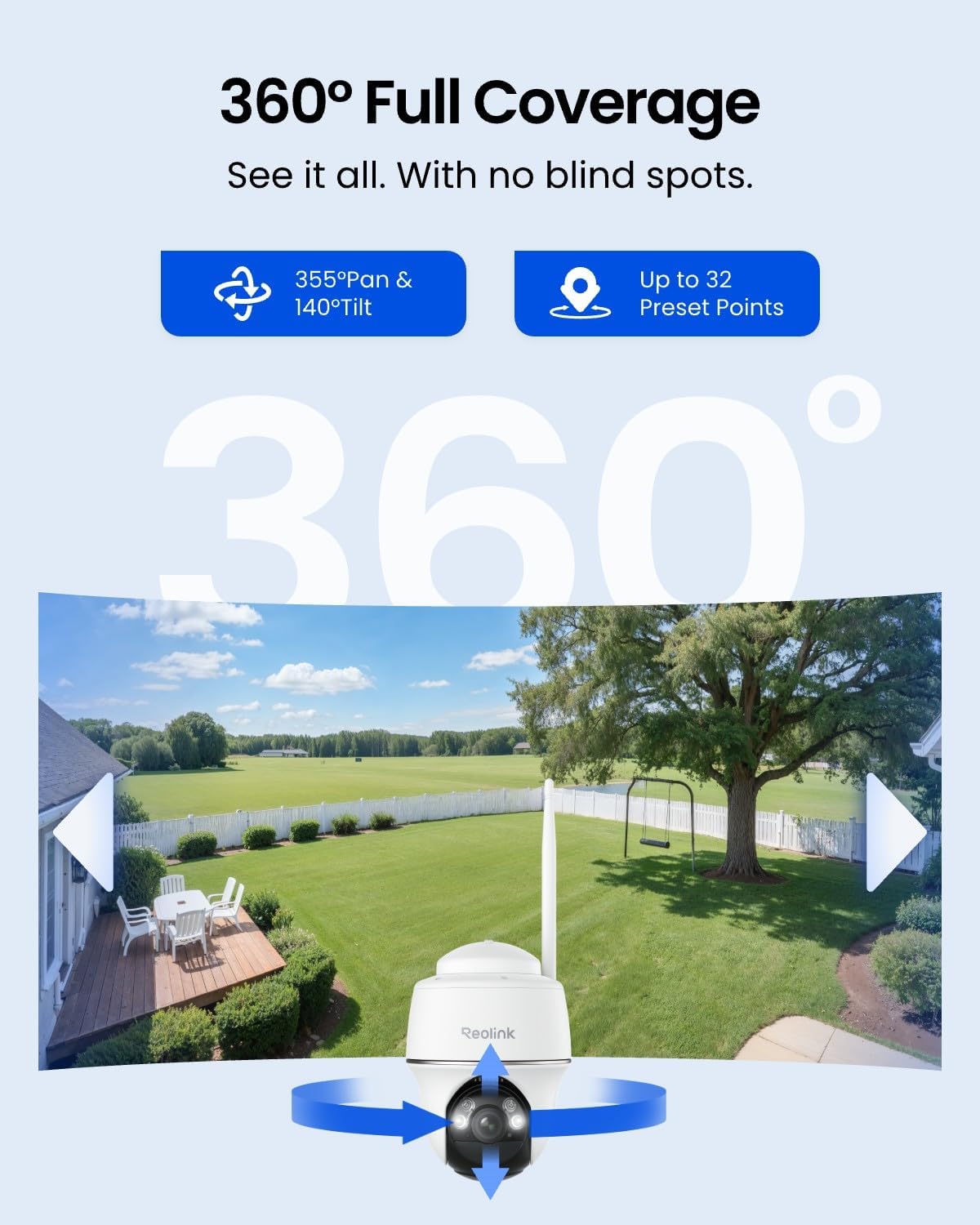
A wireless solar security camera is exactly what it sounds like: a camera that runs on a rechargeable battery topped up by a small attached solar panel, with no power cable required and no monthly power draw on your utility bill. The “wireless” also extends to data — most models connect to your home Wi-Fi and push footage either to cloud servers or to a storage card inside the camera itself (called local storage). The smarter ones use on-board computer chips to analyze the video feed and send you an alert only when something actually matters — a person walking up your driveway rather than a branch waving in the wind. That analysis is what the industry calls AI detection or edge AI. If you’re shopping for these cameras right now, you’ve probably noticed that every spec sheet claims to have it all: unlimited solar power, endless storage, bulletproof intelligence. This guide cuts through that noise and shows you what those specs mean in practice, which numbers actually matter for your install, and how to match the hardware to what you’re genuinely trying to protect.
| EDITOR'S PICK[REOLINK 5MP Solar Security Came…](https://www.amazon.com/dp/B0FM45MSS8?tag=greenflower20-20) | Mid-tier[Amazon Echo Hub (newest model)](https://www.amazon.com/dp/B0BCR7M9KX?tag=greenflower20-20) | Budget pick[REOLINK Security Cameras Wirele…](https://www.amazon.com/dp/B0FM7186NR?tag=greenflower20-20) | |
|---|---|---|---|
| Resolution | 5MP | — | 5MP |
| Local Storage | Up to 1TB | — | — |
| AI Detection | ✓ | — | — |
| Pan/Tilt | ✓ | — | ✓ |
| WiFi Band | 2.4/5GHz | — | 2.4/5GHz |
| Auto-Tracking | ✓ | — | — |
| Price | $199.99 | $109.99 | $89.99 |
| See on Amazon → | See on Amazon → | See on Amazon → |
Why “Unlimited Solar” and “Smart AI” Are More Nuanced Than the Box Claims
Let’s start with the solar side, because it’s the most commonly misunderstood part of the value proposition. A solar panel on a security camera is not a perpetual-motion machine. It’s a trickle charger — typically rated between 2W and 6W depending on the camera tier — that replenishes battery capacity when sunlight is available. In most mid-latitude climates and with a reasonable southern exposure (northern hemisphere), a quality 4W–6W panel can sustain a camera indefinitely through summer and into fall. In winter, at steeper sun angles with shorter days, the math tightens considerably. Wirecutter’s outdoor security camera coverage consistently flags solar viability as climate- and placement-dependent, noting that cameras advertised as “always-on solar” often revert to battery reserve during extended overcast periods or in regions north of roughly 45° latitude.
The practical implication for your install: if you’re mounting in direct, unobstructed sun for 4–6 hours daily, a 4W panel paired with a 5,000–6,000 mAh battery is likely sufficient. If your mount location is partially shaded — under an eave, behind foliage, north-facing — either size up the panel (look for cameras that accept auxiliary solar panels) or budget for pulling the unit in November and charging it manually every 4–6 weeks.
On the AI detection side, the terminology is even slipperier. Virtually every camera released since 2023 claims “AI-powered person detection,” but the implementations sit at very different capability levels. The meaningful distinction is between edge AI and cloud AI:
- Edge AI: the camera’s own processor runs the detection model locally. Alerts fire within 1–3 seconds without sending raw video to a server. Works during internet outages. Privacy-preserving.
- Cloud AI: the camera uploads a short clip to a remote server, which analyzes it and sends the alert back. Latency is typically 5–15 seconds. Stops working if your internet or the vendor’s service goes down.
Ars Technica’s overview of home security cameras notes that most sub-$100 cameras sold as “AI-enabled” are actually running simple pixel-change heuristics on the chip and offloading the heavy classification to the cloud, which explains why so many generate false alerts on motion from rain or headlights even when marketed as “person-only” detection.
Local Storage: How Much Is Enough, and When Does Cloud Become a Trap?
Local storage — an SD card inside the camera, or a connected hub/NVR (network video recorder, essentially a hard drive box that multiple cameras feed into) — is the alternative to paying a monthly cloud subscription. For a practitioner with more than one camera, the math on cloud subscriptions compounds fast.
By the numbers:
- Typical cloud plan for 4 cameras with 30-day video history: $10–$20/month ($120–$240/year)
- A 256GB microSD card (supporting continuous local recording at 1080p): ~$20–$30 one-time cost
- At 1080p with H.265 compression (the more efficient codec standard), 256GB holds roughly 8–12 days of continuous footage per camera
- At 2K/4MP with H.265, expect 5–7 days of continuous footage per 256GB card
The honest framing: local storage wins on total cost of ownership over any multi-year horizon. Cloud wins on accessibility — you can pull footage remotely from any browser, clips survive if someone physically steals the camera, and the vendor handles the storage management. For most residential installs, the hybrid approach makes the most sense: use local storage as the primary archive and subscribe to cloud clip-only storage (most vendors offer a free tier covering the last 24–72 hours of event clips) as your off-site backup for anything critical.
CNET’s solar camera roundup for 2025 highlights that Reolink, Eufy, and Ezviz have all moved toward local-first architectures with optional cloud tiers, a meaningful shift from the 2021–2023 era when many platforms essentially required subscriptions to unlock basic features like motion zone adjustment or person detection.
The storage card itself matters. Security cameras write continuously in looping files — old footage gets overwritten when the card fills. This write pattern is brutal on standard consumer SD cards; you want cards rated for surveillance use (labeled “High Endurance” by Samsung and SanDisk, for instance), which are rated for roughly 5–10x more write cycles than standard cards. Spec sheets from Samsung’s High Endurance SD line rate 128GB cards for approximately 20,000 hours of continuous video recording before wear — at that duty cycle, you’re looking at a 2–3 year lifespan per card in a continuously-recording setup.
Matching Specs to Scenarios: The Decision Framework
Here’s where we turn specs into decisions. The right configuration depends on three variables: your detection priority (catching people vs. general motion), your storage philosophy (local vs. cloud vs. hybrid), and your solar reality (sun hours and mount position). Run yourself through these scenarios:
Scenario A: Single Entry Point, High-Value Target (Front Door, Gate, Package Shelf)
This is the highest-stakes placement in most residential and small commercial setups. You need reliable person + vehicle detection with minimal false alerts, fast local clip saving, and ideally a backup copy off-site in case the camera is grabbed.
What to prioritize:
- Edge AI with dedicated person/vehicle classification (not just “motion detection with AI label”)
- 2K or higher resolution so license plates and faces are legible at your gate’s standoff distance
- Hybrid storage: local SD card for continuous recording plus cloud event clips (even a free tier)
- Color night vision (cameras with a warm-light flood LED, not just infrared) — reviewers at The Verge consistently note that infrared-only cameras produce usable footage but lose the identifying detail that makes plates and clothing colors legible
Panel sizing here matters less because the camera wakes to record events rather than running truly continuously; a 3W–4W panel handles most climates.
Scenario B: Perimeter Monitoring, Multiple Cameras, Budget-Conscious
If you’re running 4–8 cameras around a property boundary, cloud subscriptions become a $300–$500/year line item. Local-first architecture becomes essentially mandatory from a TCO standpoint.
What to prioritize:
- NVR-based or hub-based local storage so all cameras feed one central drive rather than individual SD cards you have to manage separately
- Battery capacity of 6,000 mAh or higher per camera, especially for perimeter cameras that may be partially shaded
- PIR (passive infrared) motion zones plus AI filtering — PIR detects heat signatures, which cuts false alerts from wind and rain at the hardware level before the AI even has to classify anything. TechRadar’s wireless camera guide flags this as a spec many buyers overlook when comparing “AI vs. non-AI” cameras; a camera with both PIR and edge AI outperforms one with edge AI alone
- Accept 1080p for most perimeter positions (2K costs more per unit and eats storage faster) and reserve 2K for the two or three high-value entry points
Scenario C: Remote or Off-Grid Property (Cabin, Agricultural, Construction Site)
No home Wi-Fi means cellular-connected cameras — a different product category. But if you have a cellular hotspot or point-to-point wireless link, solar cameras become genuinely transformative at remote sites.
What to prioritize:
- Maximum battery capacity (10,000+ mAh) plus the largest compatible solar panel (some brands sell auxiliary 10W–20W panels as add-ons)
- Local-only or LTE-backup cloud storage — depending on your connectivity
- Longer PIR detection range (rated 30–40 feet rather than the typical 20-foot budget spec) because remote sites have larger standoff distances
- Onboard alarm/siren for deterrence, since response times are long
The Vendor Ecosystem Question You Shouldn’t Skip
Before you commit to a camera system — especially one running local storage — spend ten minutes understanding the vendor’s firmware update history and platform stability. Eufy faced serious scrutiny in 2022–2023 over undisclosed cloud transmission of local-storage-only footage; the company subsequently published updated privacy documentation and changed transmission behavior, but the episode is a useful reminder that “local storage” is only as private as the firmware running the camera. Wirecutter’s security camera coverage has tracked the Eufy situation as a case study in why firmware transparency and update cadence matter alongside hardware specs.
For a practitioner buyer, the right question to ask is: does this vendor publish a firmware changelog? Do they have a track record of patching CVEs (security vulnerabilities) within a reasonable window (90 days is a rough industry standard)? Reolink and Amcrest have generally favorable marks here across aggregated long-run reviews; newer entrants with aggressive pricing but no firmware history carry meaningful platform risk.
Clear Decision Rules
If you’re making a purchasing decision now, here’s the if/then framework:
-
If you’re running 1–2 cameras at a primary entry point → prioritize edge AI with dedicated person/vehicle classification, 2K resolution, hybrid local + cloud clip storage, and a 4W+ panel. A single-camera subscription tier is affordable and gives you off-site redundancy.
-
If you’re running 4+ cameras across a property → local-first with an NVR or hub is non-negotiable from a cost standpoint. Prioritize PIR + edge AI, accept 1080p for perimeter positions, and size solar panels conservatively for your worst-case winter sun hours.
-
If your install site is partially shaded or high-latitude (above 45°N) → treat solar as a supplement, not a guarantee. Choose cameras that accept auxiliary panels or that charge via USB-C so you have a manual top-up path. Don’t buy a camera marketed on “infinite solar” and then mount it under an eave.
-
If privacy is a primary concern → verify that local-storage mode genuinely disables cloud transmission at the firmware level, not just at the app-settings level. Look for vendors with published privacy audits or third-party verification.
The cameras that earn their price are the ones that match this framework to your specific scenario — not the ones with the longest spec-sheet bullet list. Solar and AI detection are genuinely useful technologies; the question is always whether the implementation matches the promise.