June 18, 2026 • Sanjay Gupta • 9 min reading time • Prices verified June 24, 2026
Lutron Caseta Smart Switches: Why the Most Expensive Smart Lighting System Is Often the Cheapest Long-Term
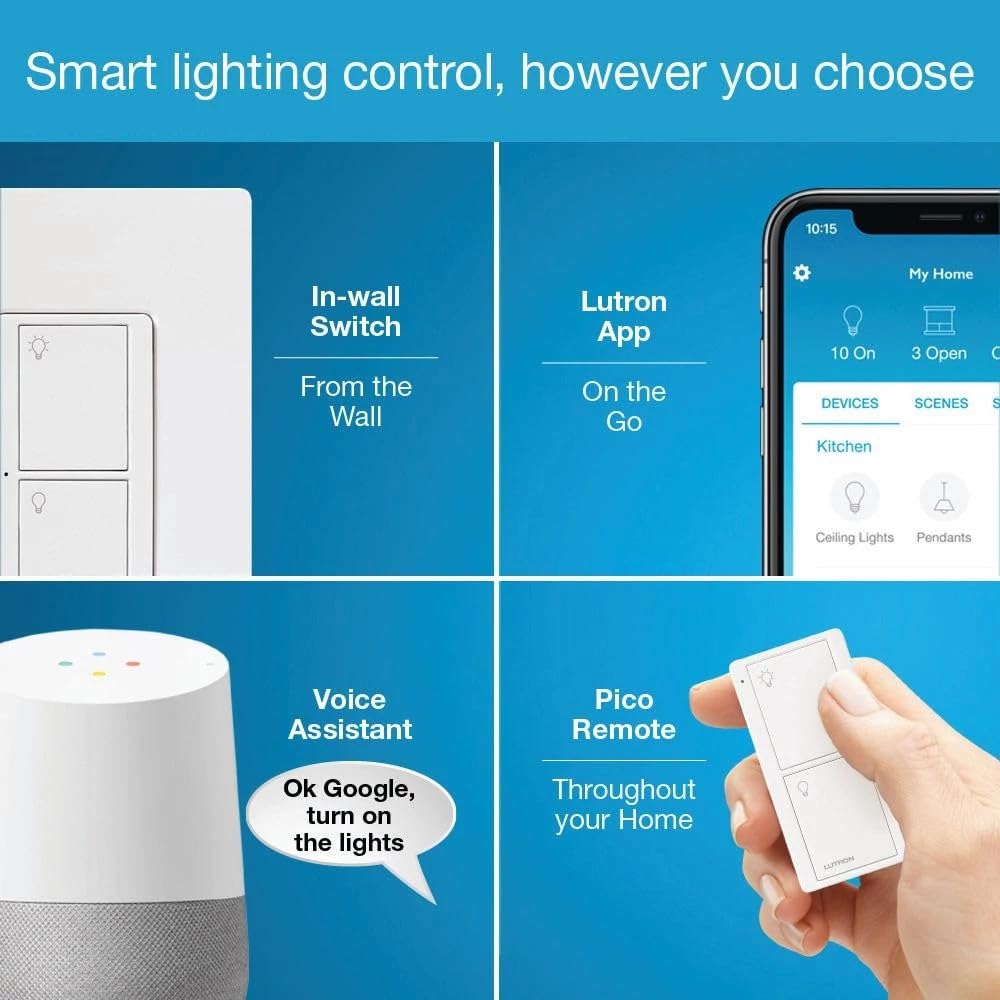
Smart switches replace your standard wall switch — the one you flip to turn a light on and off — with a device that can also respond to your phone, a voice assistant, or an automated schedule. On paper, most smart switches do roughly the same job. In practice, the differences in reliability, ecosystem longevity, and neutral-wire requirements (an extra wire some older homes lack) create a wide performance gap that only becomes visible over two or three years of daily use. Lutron Caseta is the system you’ll most often find cited at the top of professional installer recommendations, and it is also, depending on how you count, the most expensive option at the switch level. This article makes the case — with real numbers and explicit tradeoffs — for why “expensive per switch” and “expensive over time” are two very different calculations, and what kind of buyer that math actually favors.
What You’re Actually Buying When You Buy Caseta
Lutron is not a startup that pivoted to smart home hardware. The company has been making professional lighting control systems for commercial and hospitality projects since the 1960s, and Caseta is its consumer-grade distillation of that engineering lineage. That context matters because it shapes the product’s architecture in ways that cheaper competitors simply don’t replicate.
The most important architectural decision: Caseta runs on a proprietary Clear Connect RF (radio frequency) protocol rather than Wi-Fi or Zigbee (a mesh-networking standard used by many smart devices). This has two practical consequences. First, Caseta switches communicate directly with a dedicated hub — the Lutron Smart Bridge — rather than depending on your home router. That means your lights keep working during an internet outage, and they don’t slow down or drop connections when your network is congested. Second, Clear Connect operates in the 434 MHz frequency band, which is less crowded than the 2.4 GHz band that Wi-Fi, Zigbee, and Bluetooth all share. Owners across long-run reviews consistently note near-zero false triggers and response latency that feels instantaneous — a quality-of-life difference that’s easy to dismiss until you’ve lived with a switch that occasionally ignores you.
The Wirecutter’s smart light switch review — one of the most frequently updated and cited in the category — has named Caseta its top pick for multiple consecutive years, specifically citing reliability and the no-neutral-wire option (Caseta works in older homes where many competitors don’t). CNET’s 2026 best smart switches roundup echoes this, ranking Caseta first for most households and noting that the Smart Bridge’s local processing keeps automations running independently of cloud status.
There’s also the Pico remote — a small, battery-powered paddle remote that pairs wirelessly with any Caseta switch. It costs about $15–20 and can be mounted anywhere with an adhesive bracket, functioning as a phantom three-way switch (a setup that lets you control one light from two locations) without any new wiring. For anyone who has priced a traditional three-way switch retrofit, that’s a meaningful cost offset.
The Math: Caseta vs. the Budget Alternatives
Let’s put numbers on what “more expensive” actually means, using mid-2026 street pricing.
By the numbers — 10-switch whole-home install:
| System | Cost per switch | Hub required | 10-switch total (with hub) |
|---|---|---|---|
| Lutron Caseta (dimmer) | ~$55 | $80 (Smart Bridge Pro) | ~$630 |
| Kasa EP25 / TP-Link Wi-Fi | ~$20 | None | ~$200 |
| GE Cync (Zigbee) | ~$25 | ~$35 (hub) | ~$285 |
| Leviton Decora Smart (Wi-Fi) | ~$30 | None | ~$300 |
The Caseta premium is real: roughly $330–430 more upfront for a 10-switch installation compared to mid-tier alternatives. The question is what you’re buying with that delta.
Ars Technica’s deep-dive on smart home protocol reliability notes that Wi-Fi-based switches are the most failure-prone category in long-term smart home deployments — not because individual switches fail mechanically, but because firmware updates, router changes, and cloud-service deprecations create maintenance events that proprietary RF systems largely avoid. The article documents cases where entire product lines were effectively bricked when manufacturers ended cloud support within two to three years of launch.
This is the core of the TCO (total cost of ownership) argument. A $20 switch that you replace or troubleshoot twice in five years costs more in time and money than a $55 switch that runs without intervention for a decade. Lutron has maintained backward compatibility with Caseta hardware and its Smart Bridge across every major platform shift — including Matter (the new universal smart home standard ratified in 2022), HomeKit, Google Home, and Amazon Alexa. The Verge’s coverage of Matter compatibility consistently flags Lutron as one of the few brands that handled the transition without requiring hardware replacement for existing customers.
TechRadar’s smart switch comparison makes the tradeoff explicit: budget Wi-Fi switches win on initial cost but carry “a meaningful cloud-dependency risk that more established RF systems avoid.” Their recommendation for rental property or short-horizon installs skews budget; for owner-occupied homes or long-term installations, the calculus reverses.
Where Caseta Costs More Than the Sticker Price (And What to Watch For)
Being honest about Caseta’s weaknesses matters here, because the TCO argument has limits.
The hub is non-negotiable. Every Caseta installation requires the Lutron Smart Bridge or Smart Bridge Pro (the Pro version adds Lutron’s professional installer features and is the one most commonly used in multi-room setups). At ~$80–100, this is an upfront cost that disappears if you go Wi-Fi-based. For a 1–2 switch installation, this hub cost inverts the math entirely — you’re paying $135–155 for what a competitor solves for $20–40. The hub cost becomes negligible only above roughly 4–6 switches, depending on which tier you’re comparing against.
No onboard color temperature or RGB. Caseta controls dimmers and switches for standard bulbs; it doesn’t natively control smart bulbs’ color or temperature. If your use case is dynamic lighting scenes — cycling colors, tunable white for circadian rhythm adjustments — Caseta is not the right primary layer. Lutron’s higher-end RA3 (RadioRA 3) system handles this but enters professional-grade pricing territory, typically installed by certified Lutron dealers.
Dimmer compatibility requires homework. Caseta dimmers work well with LED bulbs from major manufacturers, but owners report occasional flicker or buzz with cheaper or non-name-brand LEDs. Lutron publishes a compatibility list (available on their website by searching “Caseta LED dimmer compatibility tool”) — checking your bulbs against this list before purchasing is not optional, it’s basic due diligence.
Three-way installs without a Pico remote require two Caseta switches, not one. If you prefer wall-mounted hardware at both ends of a hallway rather than a Pico remote, budget accordingly. Two Caseta dimmers plus a Pico is cheaper than two Caseta dimmers alone, but the two-dimmer path costs ~$110 before installation.
The Decision Framework: If X, Then Y
This is where the practitioner logic crystallizes. Caseta’s value proposition is not universal — it’s conditional on your use case, timeline, and what reliability is worth to you.
If you’re outfitting a primary residence you plan to own for 5+ years: Caseta is almost certainly the right system. The reliability record, the backward-compatibility track record through multiple platform transitions, the no-neutral-wire option for older homes, and the elimination of cloud-dependency risk make the upfront premium a reasonable hedge against future maintenance costs. The math favors Caseta somewhere between 4 and 6 switches; beyond that, you’re paying less per outcome than any budget alternative.
If you’re outfitting a rental property or a flip: The calculus flips. Caseta’s value is in its longevity and reliability for the person who lives with it daily. A tenant doesn’t benefit from a 10-year reliability track record the same way an owner does, and the upfront premium doesn’t recover at the asset level for a short-hold property. Budget Wi-Fi switches — or no smart switches at all — are defensible here.
If you’re doing 1–3 switches in an apartment: The hub cost kills the math unless you’re planning to expand. A 2-switch Caseta install runs ~$190 with the Smart Bridge; a Kasa Wi-Fi install runs ~$40. That’s a $150 premium for reliability benefits that don’t compound meaningfully at small scale. Exception: if you’re building toward a larger Caseta ecosystem in a future home purchase and want to learn the platform, the upfront investment can be justified as an education cost.
If you want integrated color-temperature or RGB control at the switch layer: Caseta isn’t your answer. Look at Lutron’s RA3 system (dealer-installed, budget accordingly), or consider pairing a different switch ecosystem with smart bulbs — Philips Hue’s Bridge-based system is the most commonly cited alternative for dynamic lighting, though it operates on a different architectural model where the bulb, not the switch, is the smart device.
If your home is pre-1985 construction without neutral wires in switch boxes: Caseta is one of very few smart dimmer systems that reliably handles no-neutral installations. CNET’s compatibility guide specifically calls this out as a differentiator. Budget alternatives that require neutral wires will require an electrician to run new wiring — a cost that, for older homes, can easily exceed the Caseta premium on its own.
The Bottom Line
Lutron Caseta costs more per switch than almost every alternative on the market. It also has the most consistent long-term reliability record in the category, the deepest compatibility history across smart home platforms, and an architecture that doesn’t depend on your internet connection or a manufacturer’s continued cloud investment to keep your lights working. The Wirecutter, CNET, The Verge, and TechRadar all arrive at variations of the same verdict: Caseta is the default recommendation for most homeowners who take smart lighting seriously.
The upfront premium is real, and it matters at small scale or for short-horizon installs. But for anyone outfitting a primary residence with four or more switches, the total cost of ownership math — factoring reliability, avoided replacements, and the compounding value of a system that doesn’t become a maintenance project — consistently favors the more expensive option. In smart lighting, as in most technology categories, “cheap per unit” and “cheap over time” are two different products. Caseta is betting, credibly, that you’ll eventually learn the difference.